

For small teams sharing logins & passwords
Your team shouldn't need you to log in
We set your team up so everyone can get into what they need (2FA codes included) without waiting on you, and anyone who's left is locked out.
- Done in one day. One kickoff call, and we do the rest.
- No more 2FA scramble. Nobody waits on your phone for a code.
- Old access shut off. Contractors get in on day one, and out the day they leave.
- Harder to take over. One clicked email doesn't cost you your Instagram, ads and bank.
When your password chaos is fixed, here's what you get

No more "who has the code?"
Launches go out on time. Nobody's hunting for a password or waiting on someone else's phone.

Only the right people get in
Peace of mind knowing no old contractors or former employees still have access.

Accounts that are harder to take over
One click of an email doesn't hand someone your Instagram, your ads and your bank.
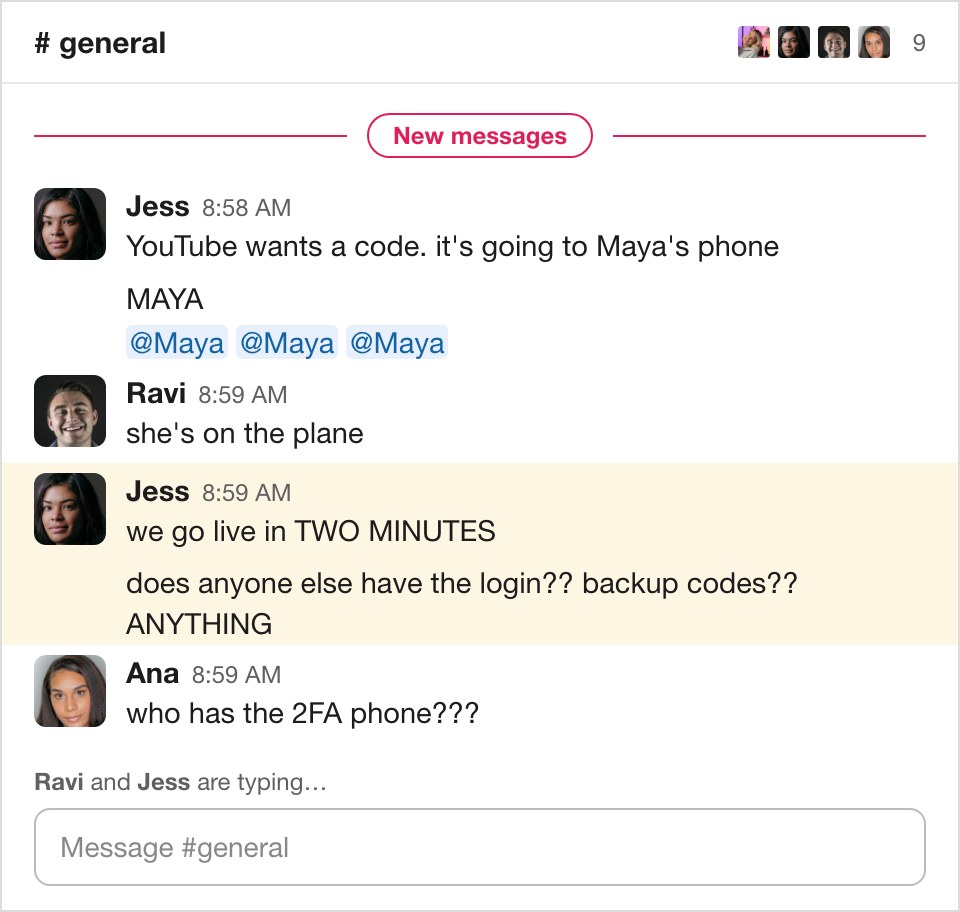
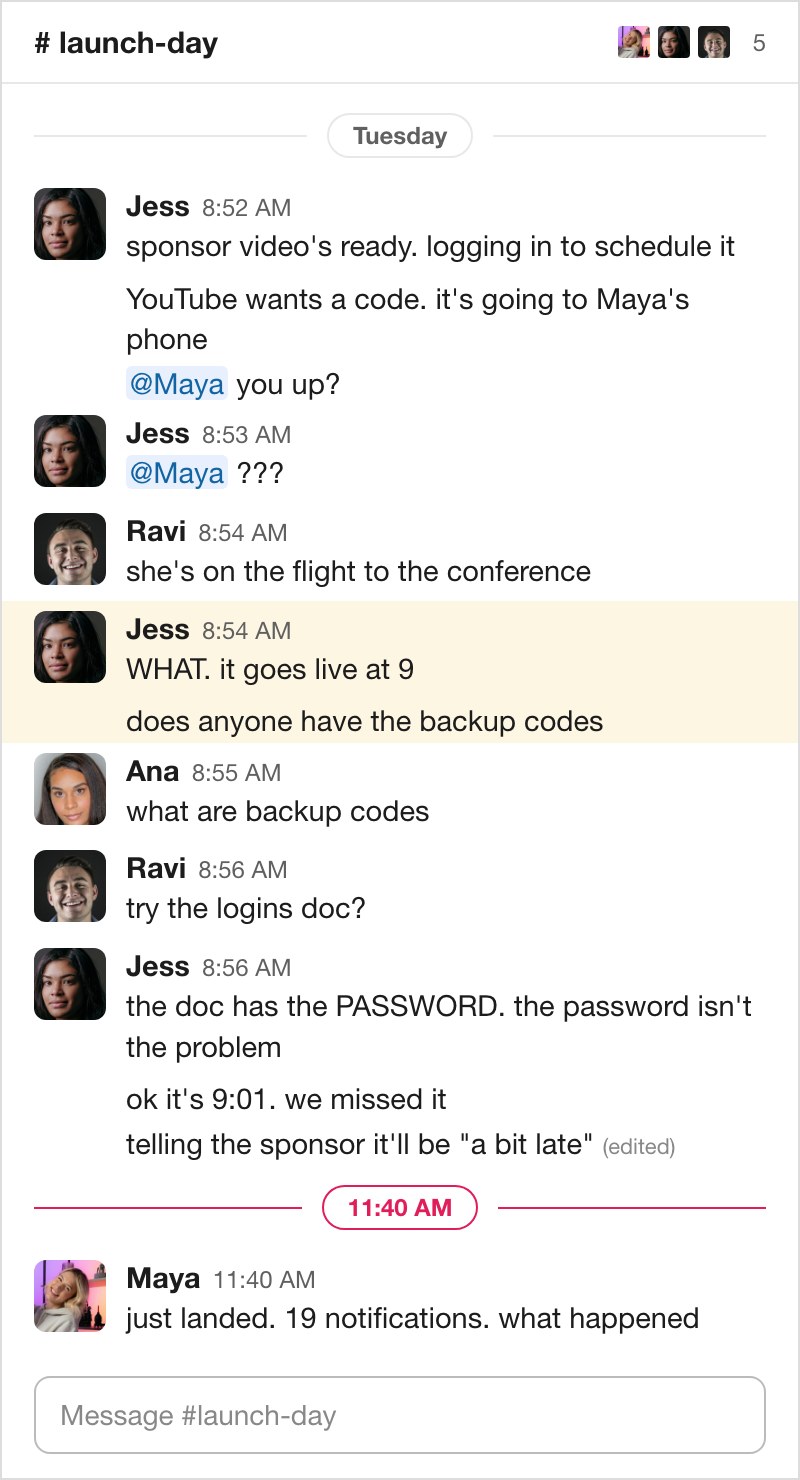
8:52 on a Tuesday. Maya's somewhere over Ohio

We promise things don't have to be like this
The sponsored video goes live at 9. Jess, the editor, has it ready.
Here's how the next three hours go:
Make sure the right people can get in (and the wrong ones can't)
A shared password is super convenient. Everybody on the team can get in.
So can everybody who used to be on the team. Here's Maya's team... and what each of them can still open.




Photos: Videodeck .co, Jassir Jonis, Jackson Schaal and Ludovic Migneault on Unsplash.
Make your accounts harder to take over
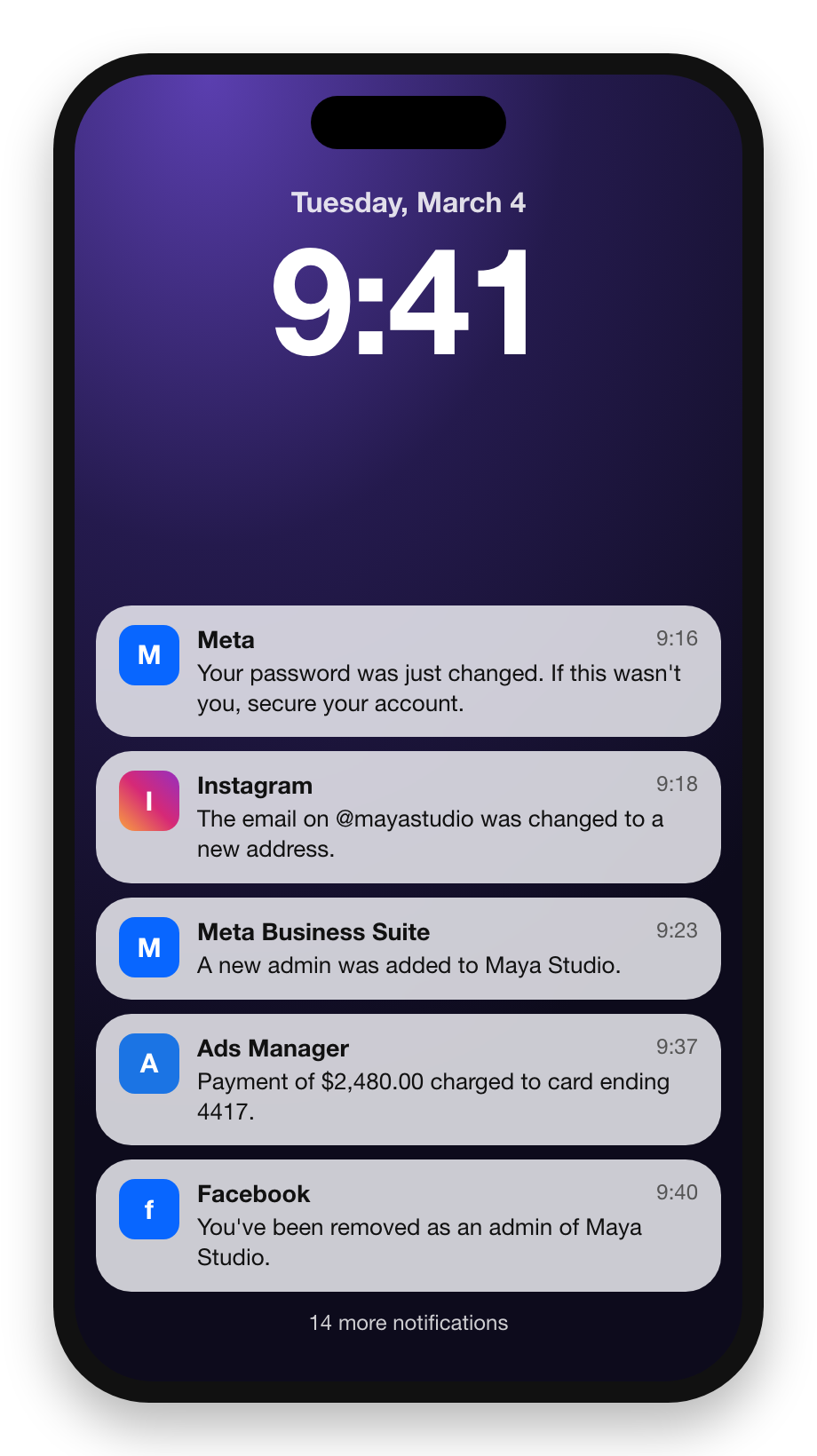
Same password everywhere, plus one phone for every code, means one slip opens everything. And nobody has to do anything wrong. Ravi clicks an email that looks exactly like Meta and types in the password. That's how they get you.
Lose Meta Business Suite and you don't lose one thing. You lose your Facebook Page, your Instagram, your WhatsApp and your ad account, card on file included.
And good luck getting a human at Meta on the phone.
How we fix it
Hand us the chaos and in one day we rebuild it inside a real password manager (the one you already pay for, or one we help you pick), for security, ease, and fewer frantic Slack messages.
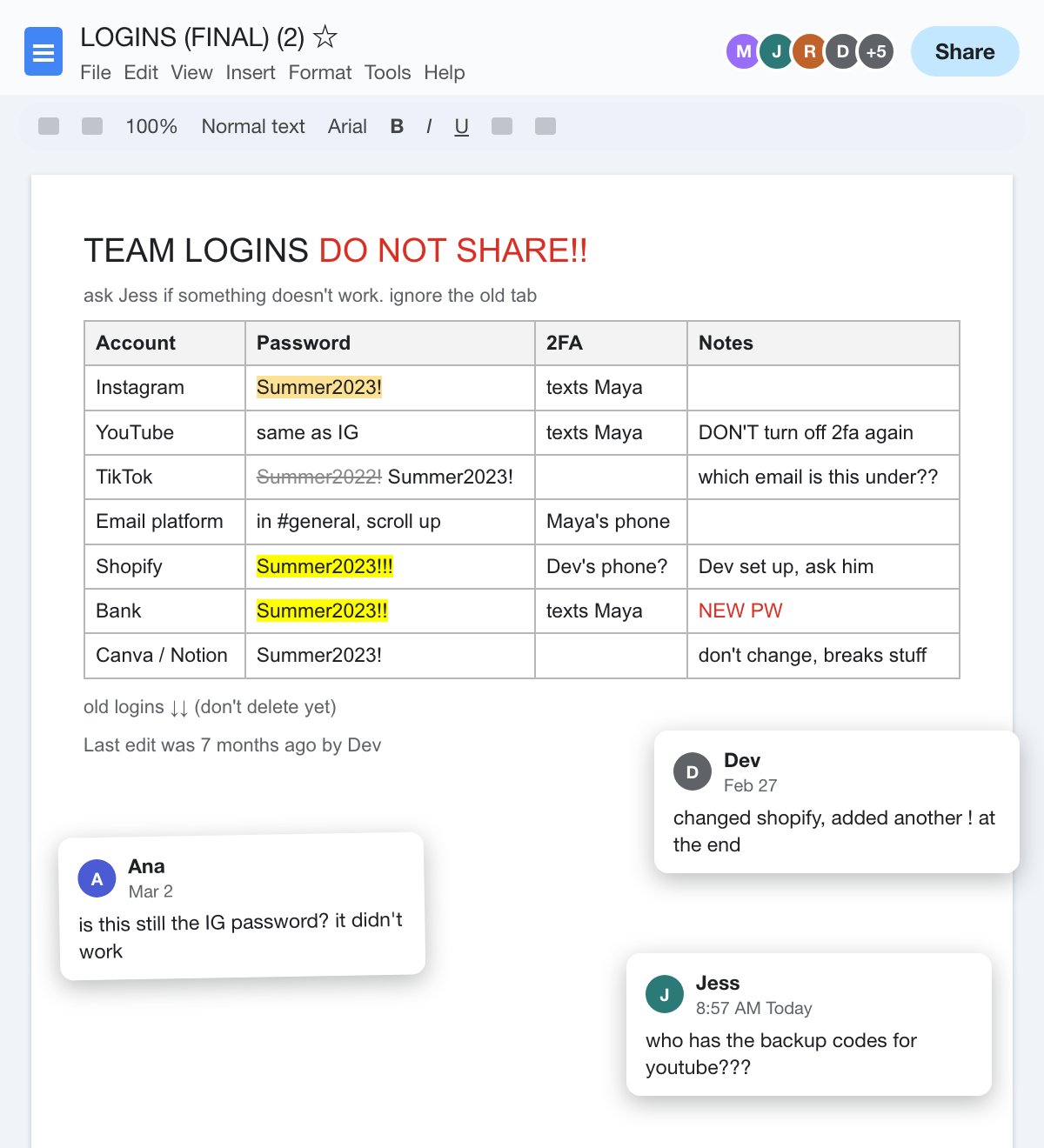
Before
 After
After
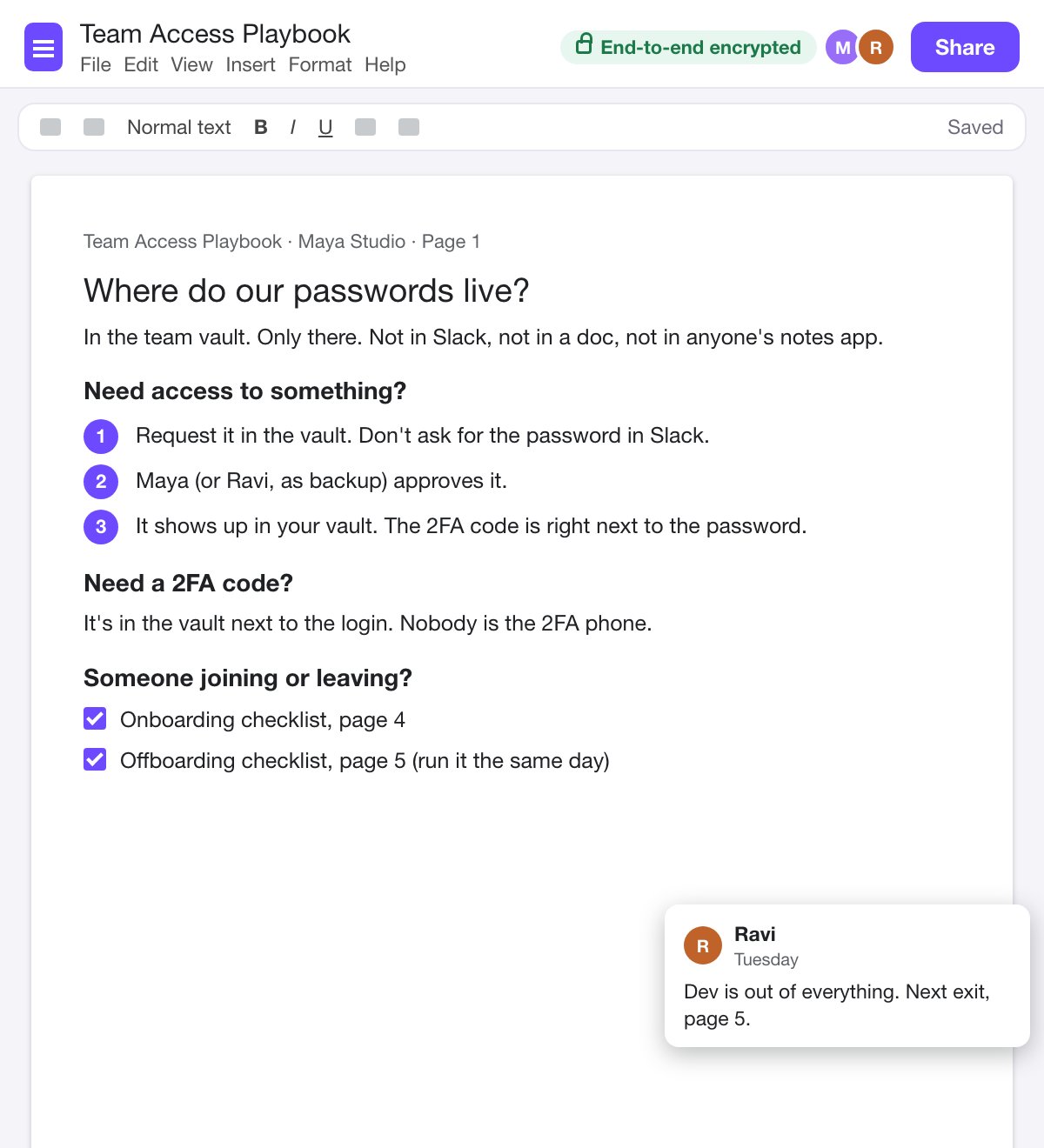
- A real password manager, installed for your team, with your shared logins moved in.
- Accounts that resist takeover. New, unique passwords where it counts, and the security settings that make an account a lot harder to steal.
- 2FA without the phone tag. The codes work for the people who need them, regardless of who's at work that day.
- An onboarding playbook. What a new hire gets on day one, and who gives it to them.
- An offboarding playbook. What to switch off when someone leaves, so access ends the day they do.
- Recorded training and documentation, so your team learns it on their own time. Then two weeks of email support while it settles in.
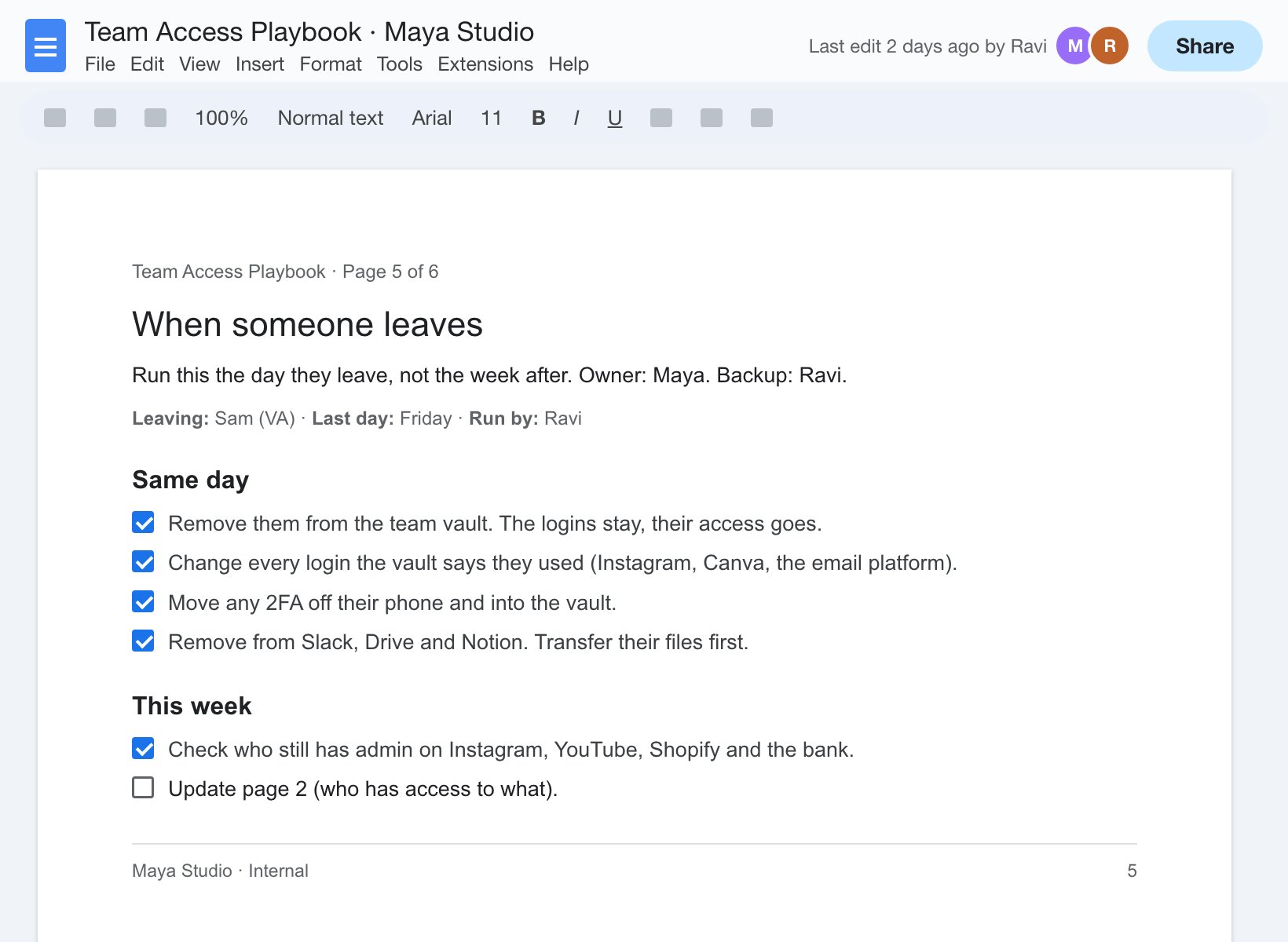
Future-proof your password management with custom playbooks
Fixing the passwords once is the easy part. Keeping them fixed through account changes, team transitions, and years of inattention is where things get a leeeeetle hairy.
We create short playbooks laying out your tools, teams, and processes for onboarding and offboarding.
So next time a contractor wraps up, you just follow the checklist. Bing bang boom.
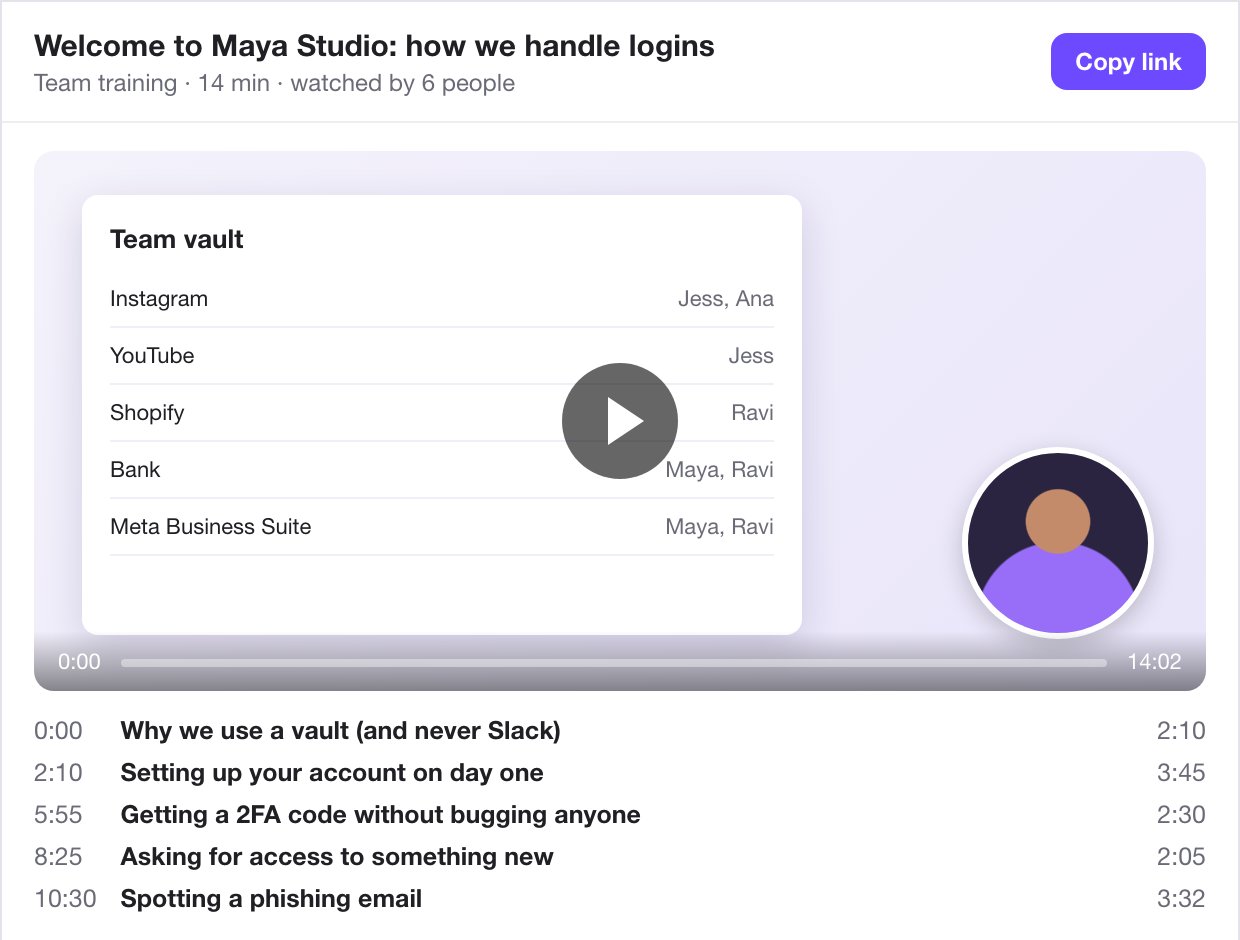
Train every new hire without making a single video
Let's be honest... you were never going to make a training for new team members.
So we make it for you.
- A recorded walkthrough of your systems, your logins and your rules.
- Written documentation to go with it.
- It doesn't expire. Someone leaves, and the next person watches the same video.
New person starts? Just send 'em the link.
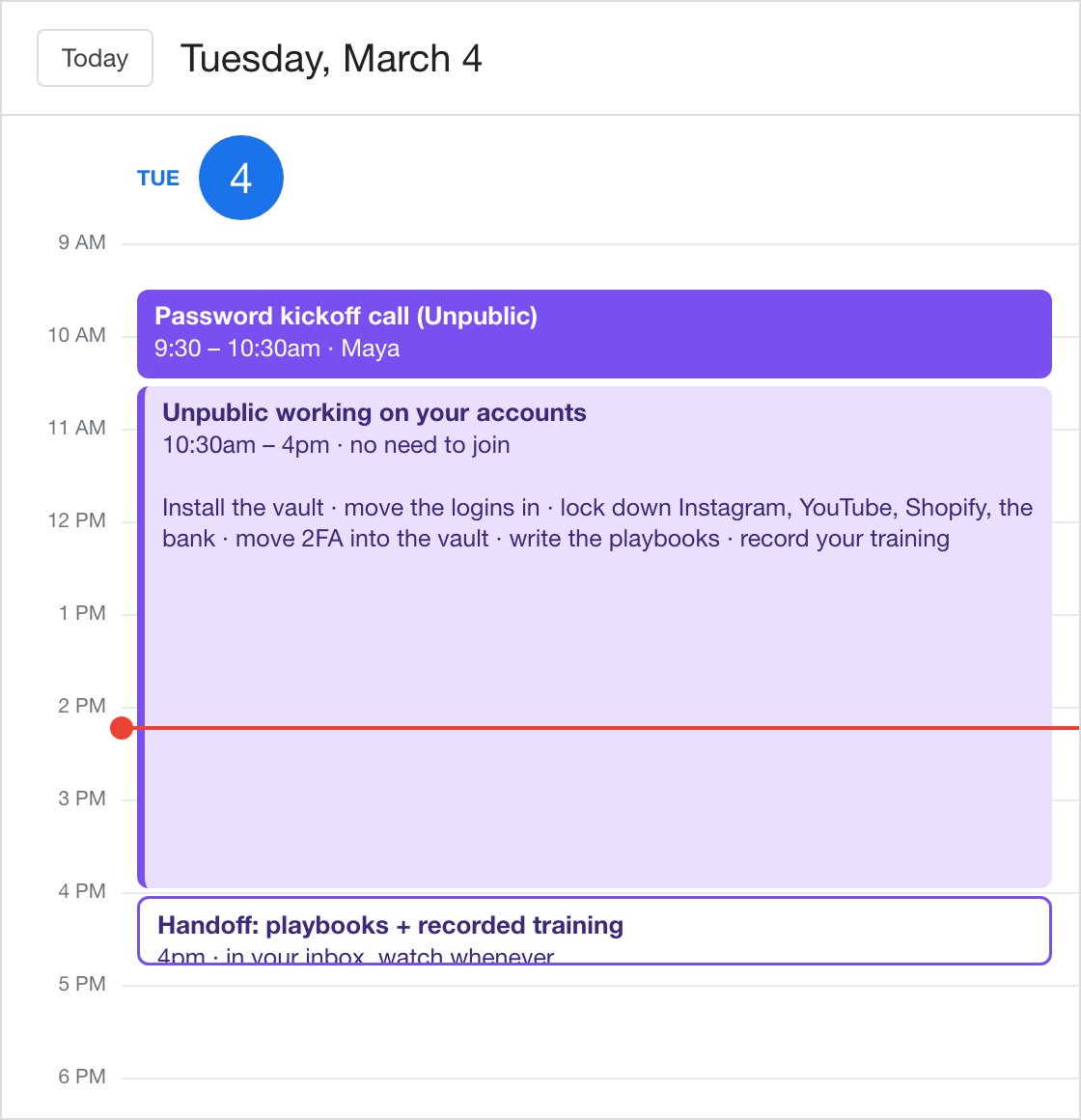
All you gotta do is one call
The owner (or whoever holds the passwords now) gets on a kickoff call with us. We map all the shared accounts, who uses what, and who has access. Then we go do our work, and you go do yours.

This is for you if
- More than one person logs in to the same accounts. You and a VA, or you and a dozen contractors.
- Your passwords live in a doc, a spreadsheet, a Slack channel or somebody's head.
- 2FA codes get texted, screenshotted or begged for.
- Contractors, VAs, editors or an agency come and go.
- Someone left and you're honestly not sure what they can still get into.
One day. One price. Any size team
Solve your password chaos once and for all
Hand us the dumpster fire that is your "password management." We do the rest.
- Kickoff call with whoever holds the passwords
- Your password manager set up (or cleaned up) for the team, shared logins moved in
- Your important accounts hardened against takeover
- 2FA that works for the whole team
- Custom onboarding and offboarding playbooks
- Recorded training and documentation for your team
- Two weeks of email support after
Not sure yet if this is for you? Book a call to see if you're a good fit.
FAQs
Got one that isn't here? Ask us.
Is this software?
Nope. It's a done-for-you service. We set up and organize a commercial password manager (Dashlane, 1Password, Proton Pass, or whichever you already use), so your logins are protected by a tool built and audited for exactly this. We don't build our own.
We already use Dashlane (or 1Password). Do we need this?
Maybe. Having a password manager isn't the same as your team using it. If 2FA codes still get texted around, a login still lives in a doc for the VA, or nobody's sure who still has access, that's what we fix, inside the tool you already pay for.
Which password manager will we use?
If you already have one your team likes, we use it. If not, 1Password and Proton Pass are usually our top recommendations, but we'll work with whichever tool you'd like.
Is the password manager included?
Nope. You sign up and pay them directly, so the account is yours from day one and doesn't depend on us. We may earn a commission if you use our link. Our affiliate policy has the details.
How big a team can you work with?
Any size team. Same outcome, same price.
Does my whole team need to be there?
Nope. Just the owner, or whoever holds the passwords right now. That's who's on the kickoff call and who we hand off to.
How do I get my team to do things the new way?
You get a recorded training and written documentation, made for your team and your tools. Everyone watches it when it suits them (AKA no one has to be on a call).
Is it really one day?
Yep. Kickoff call, then we work async, and you get the handoff the same day.
Will you have our passwords?
Yes, but only briefly. During the day, we work inside your new vault to move over the passwords you already have. Since those passwords will now live in your shiny new password manager, we won't have access to them once we hand off your account and you remove us, like we're training you to do.
What happens after the day?
You get two weeks of email support while your team settles in. After that, plenty of teams move on to a Scout Investigation or keep us around with Sightline.
Someone already got into one of our accounts. Can you help?
Unfortunately, this is a preventative service. We can help make sure account takeovers don't happen again. But if you're locked out of your accounts right now, we recommend contacting that platform's support first.

Finally
fix your
password chaos
Not sure yet if this is for you? Book a call to see if you're a good fit.
